Canvas
The Canvas is the visual builder for designing, running, and managing agentic workflows. It allows teams to visually create task flows powered by AI agents, assign tools and models, connect external systems, and observe real-time execution—all with zero code.
Key Concepts
- Task Nodes
Execution units in a workflow, each assigned to an agent. Tasks define inputs, tools, instructions, and produce outputs. - Handoffs
Visual connections between tasks that represent the flow of control and data. - Agents
Configurable AI units responsible for reasoning and action. Agents are assigned to tasks and can use tools, memory, and guardrails. - Models
Each agent runs on a specified LLM or custom model selected from the Model Registry. You can change model type, provider, and parameters per agent. - Tools
Extensible components that let agents interact with APIs, databases, files, or other systems. Tools are assigned at the task level. - MCP Servers
External system connectors using the Model Context Protocol. Useful for retrieving context from CRMs, ERPs, vector DBs, and more.

Building Workflows on the Canvas
| Feature | Description |
|---|---|
| Drag-and-Drop Tasks | Add new tasks, move them around, and define execution order using arrows. |
| Agent Assignment | Each task is mapped to a single agent. You can configure prompt, memory, and logic per agent. |
| Tool Integration | Assign tools directly to tasks. These tools can be triggered by the agent at runtime. |
| Validation | Canvas auto-validates task configurations and handoffs. Incomplete or misconfigured steps are flagged in real time. |
| Zoom & Pan | Navigate large workflows with intuitive zoom and minimap controls. |
Running Workflows: Sync, Async & Streaming
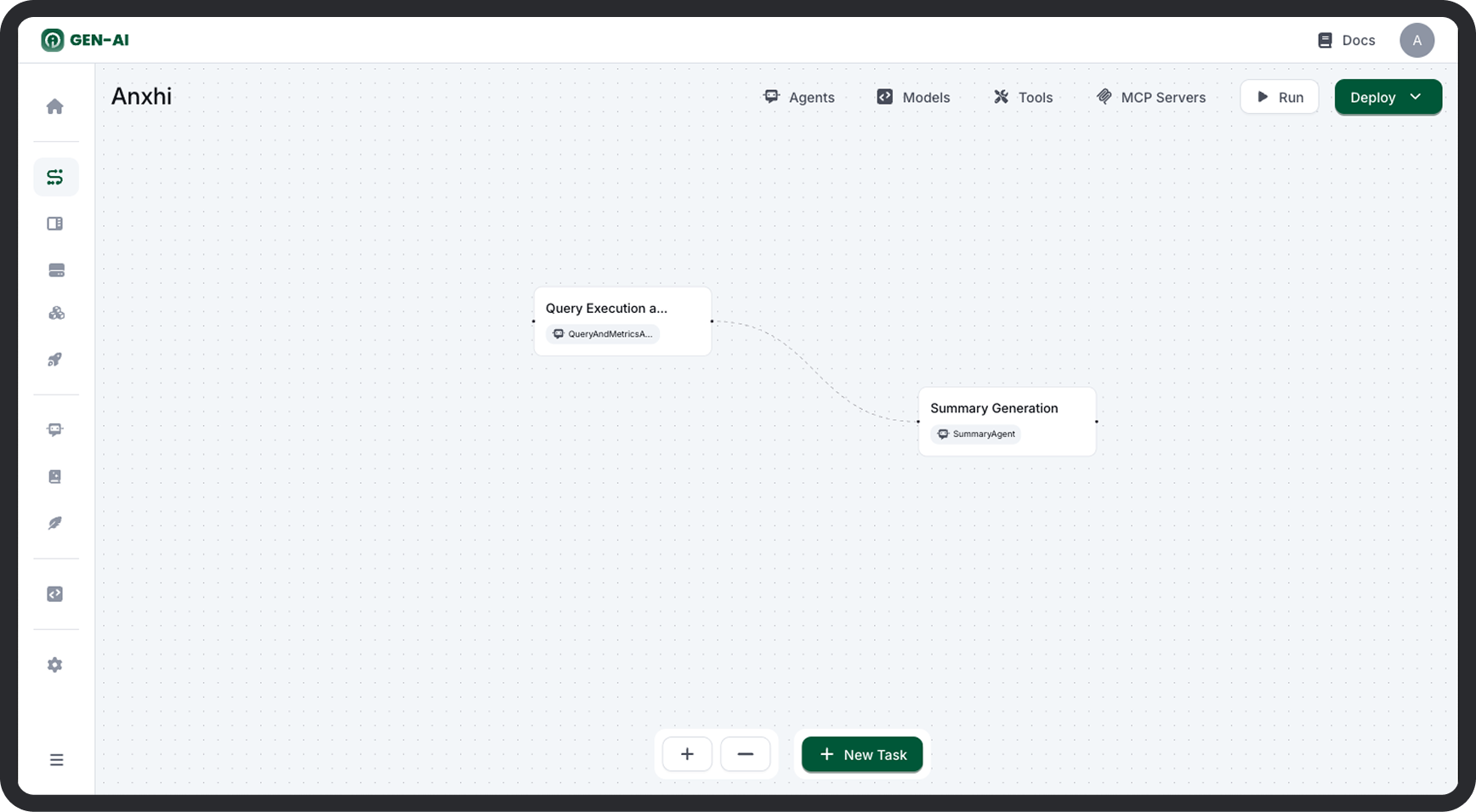
You can test and execute workflows directly from the Canvas using the Run button.
Execution Modes
-
Synchronous Run
-
Immediate response after execution completes.
- Supports streaming output for real-time token-by-token response visibility.
- Best for short, interactive workflows or testing.
-
Asynchronous Run
-
Returns a
run_idimmediately. - You can fetch status and results later.
- Ideal for longer-running workflows or background jobs.
Execution Insights
-
Run Logs
-
View task-level input/output, tool calls, and agent reasoning.
- Helps debug workflows and optimize behavior.
-
Visual Tracing
-
Completed workflows are highlighted on the canvas, showing the exact path taken during execution.
Deployment
Once your workflow is validated, click Deploy to publish it as a callable service.