Tools
Tools extend the capabilities of agents by enabling them to interact with external systems such as APIs, databases, document parsers, or search engines. In OI Agents, tools are configured at the workflow level and can be assigned to any agent within that workflow.
This design enables tool reuse across agents, while keeping configurations isolated to individual workflows for better portability, versioning, and environment control.
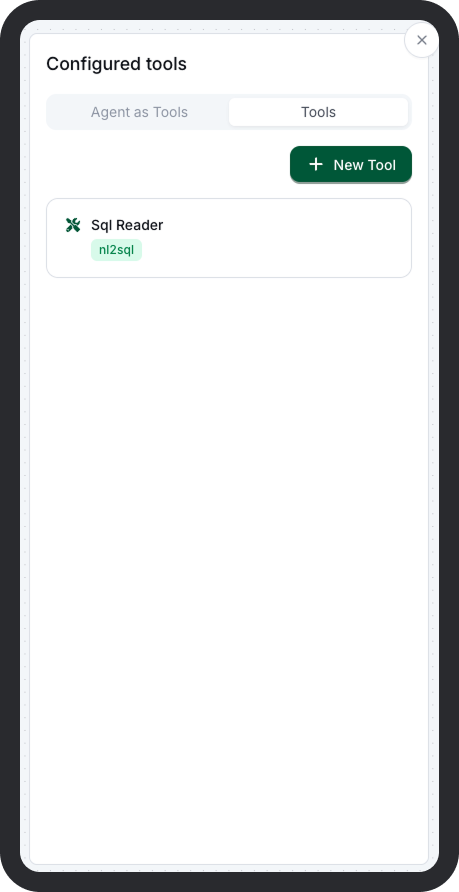
How Tools Work
- Tools are configured once per workflow and stored as part of the workflow definition.
- Each configured tool can then be assigned to one or more agents in the same workflow.
- During execution, agents invoke tools as needed, based on their instructions and reasoning.
Tool Configuration Workflow
Step 1: Define Tools in the Workflow
- Go to the Tools tab inside a specific workflow.
- Select a tool from the native library (e.g.
nl2sql,sendgrid_email_sender). -
Provide required settings:
-
API keys or credentials (stored via environment references)
- Endpoint URLs or connection strings
- Custom parameters or options
This creates a reusable tool instance scoped to the workflow.
Step 2: Assign Tools to Agents
- Open an agent (inside a task) on the canvas.
- Navigate to the Tools section in the agent settings.
- Select one or more tools that were configured in Step 1.
- Save the agent configuration.
Agents can now invoke the assigned tools during their execution logic.
[!IMPORTANT] We have to make sure the model we use in the workflow has tool-calling capability
Built-in Tool Library
| Tool ID | Name | Description | |
|---|---|---|---|
file_to_text |
PDF Text Converter | Parses and converts PDF/PPT/Doc files into plain text format for use in downstream reasoning or summarization tasks. | |
http_requests |
PDF Text Converter | Make HTTP requests to a pre-configured endpoint. | |
mongodb_search |
MongoDB Query Tool | Executes structured queries on MongoDB collections to retrieve document-based records. | |
nl2sql |
Natural Language to SQL Translator | Converts natural language inputs into executable SQL queries, enabling agents to query structured databases using plain language. | |
ocr_vl |
OCR Text Extractor | Extracts readable text from scanned images or documents using optical character recognition. | |
qdrant_search |
Qdrant Vector Search | Performs semantic similarity search against a Qdrant collection. Commonly used in knowledge retrieval and RAG flows. | |
sendgrid_email_sender |
SendGrid Email Dispatcher | Sends transactional or templated emails using SendGrid. Can be used for notifications, alerts, or handoff confirmations. | |
zenserp_web_search |
Live Web Search (Zenserp) | Retrieves up-to-date search results from the web using the Zenserp API. Useful for real-time information lookup. |
Tool Execution Behavior
- Tools are invoked by agents autonomously.
- Tool responses are returned to the agent as part of the reasoning process.
- Execution logs include input/output of each tool call.
- Failures or timeouts are captured in trace logs and returned in workflow output.
Best Practices
- Configure tools only once per workflow to promote reuse and reduce duplication.
- Keep tool names descriptive (e.g.
hr_database_search,contract_pdf_parser) to clarify intent. - Use environment variable references for API keys and sensitive data.
- Test each tool-agent combination independently before deploying the workflow.