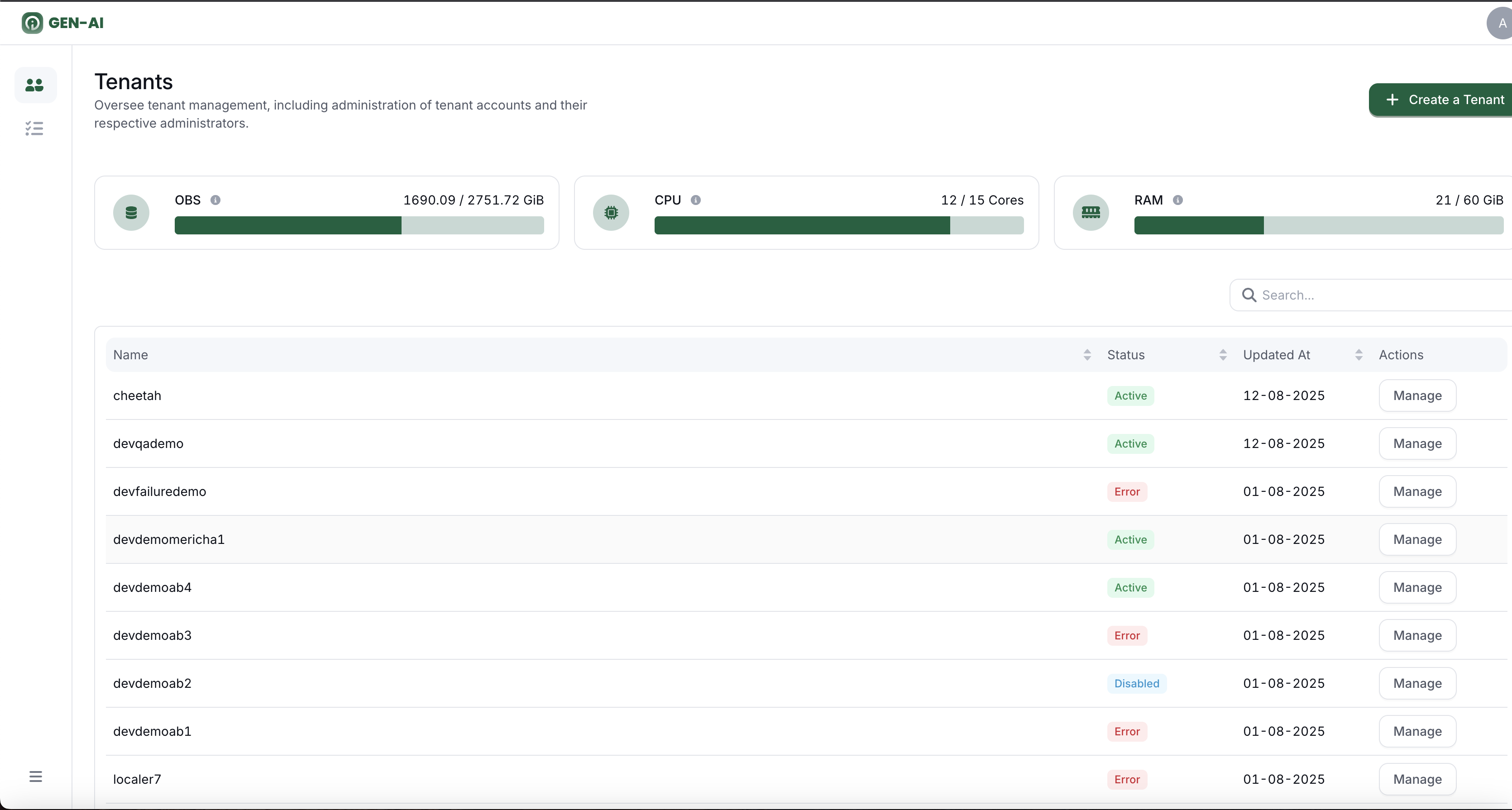
Tenants Overview
The Tenant Admin Page provides an overview of all tenants and their current resource usage.
You can quickly see each tenant's status and monitor the allocated and available resources like CPU, Memory, and OBS Storage.
Tenant List
This section displays all tenants and their current status:
- Active Tenant is fully operational
- Creating Tenant is being set up
- Disabling Tenant access is being suspended
- Restoring Tenant is being re-enabled
- Disabled Tenant is disabled
- Error Something went wrong during an operation
Admins can use this list to quickly identify tenants that need attention or are in an error state.
Resource Overview
For each tenant, this section shows detailed resource information:
- CPU Allocation how much CPU is assigned
- Memory Allocation how much memory is assigned
- OBS Storage Allocation how much storage is assigned
This helps admins monitor usage, plan for scaling, and ensure tenants stay within their allocated limits.